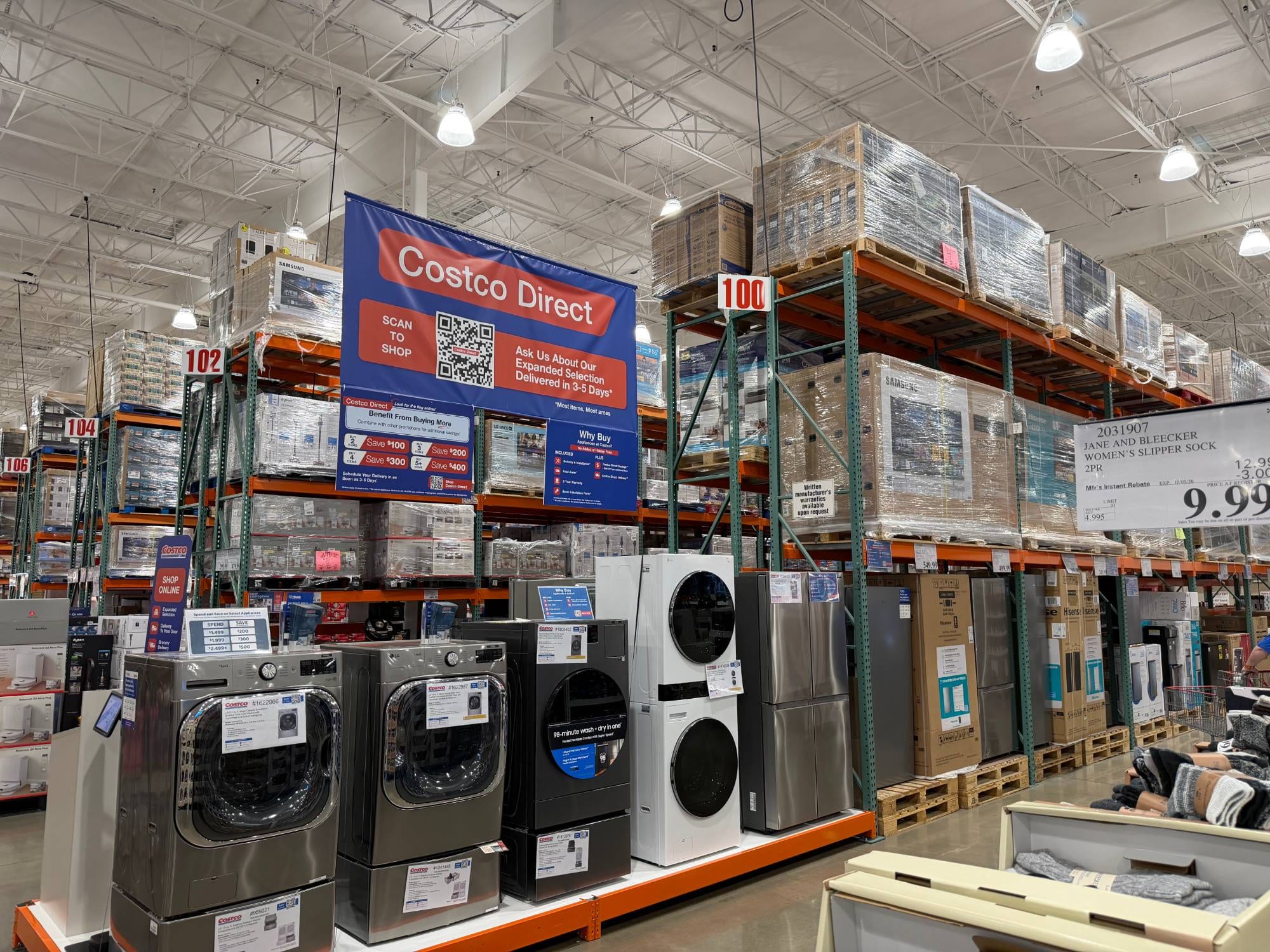
Costco Electronics Return Policy by Product Type

Quick answer: Costco's general return policy covers most merchandise with no time limit, but electronics are the big exception — the standard window is 90 days from purchase for TVs, laptops, tablets, cameras, smartwatches, and similar devices, according to Costco's published return policy at customerservice.costco.com. Some categories inside "electronics" get different treatment, and Costco Canada's rules are not identical to Costco US. Knowing which bucket your device falls into — and what condition it needs to be in — determines whether a return actually gets approved.
Key takeaways
- The 90-day clock starts on the purchase date, not the delivery date, for most electronics at Costco US.
- Major appliances are handled separately from electronics and often follow manufacturer warranty terms instead of the 90-day window — confirm with Costco customer service for your specific item.
- Costco Canada publishes its own return policy and it does not mirror the US policy item for item, so Canadian members should check customerservice.costco.ca directly.
- Missing accessories, visible damage, or a return outside the window are the most common reasons an electronics return gets declined at the register.
Costco owes you money when prices drop
If something you bought gets cheaper within 30 days, you can claim the difference. CostRefund watches your receipts and tells you when you're owed.
Start freeWhat counts as "electronics" at Costco, and what's the actual window?
The 90-day rule applies to the core electronics category: televisions, laptops, desktop computers, tablets, cameras, camcorders, smartwatches, drones, projectors, and most small consumer gadgets. This is the window Costco states on its official return policy page, and it's shorter than Costco's famously open-ended policy for general merchandise.
Here's where it gets confusing — "electronics" isn't one single rulebook. A few adjacent categories that feel like electronics are actually governed by different terms:
| Product type | Typical return window | Notes |
|---|---|---|
| TVs | 90 days | Covered in detail in Costco TV Return Policy: What's Eligible and What Isn't |
| Laptops & desktops | 90 days | Software/OS issues may be directed to the manufacturer; see Costco Laptop Return Policy: 90-Day Rule for Laptops |
| Tablets & e-readers | 90 days | Same category as laptops for return purposes |
| Cameras & camcorders | 90 days | Lenses and bodies sold as bundles should be returned complete |
| Smartwatches & fitness trackers | 90 days | Treated as electronics, not jewelry, even metal-band models |
| Major appliances (refrigerators, washers, ranges) | Varies | Often tied to manufacturer warranty rather than the 90-day clock — confirm with Costco |
| Small kitchen appliances | No stated limit in most cases | Follows Costco's general merchandise policy, but confirm at your warehouse |
Don't skip this: Major appliances are not automatically covered by the 90-day electronics window. Costco's published policy treats large appliances differently, and the actual terms can depend on the brand and the specific product, so always confirm with Costco customer service before assuming a timeline.
Small kitchen electronics — think blenders, coffee makers, and air fryers — tend to fall under Costco's broader, less time-restricted return policy rather than the 90-day electronics rule. If you're not sure which bucket an item is in, ask at the returns counter or check the receipt, since Costco's point-of-sale system usually flags the return eligibility automatically.
Does Costco Canada have the same 90-day rule?
Not exactly — Costco Canada maintains its own return policy, published separately at customerservice.costco.ca, and members should treat it as a distinct set of rules rather than a copy of the US policy. While many categories follow similar logic (electronics getting a defined window instead of Costco's open-ended general policy), the specific days, exclusions, and restocking terms can differ between the two sites.
A few things that commonly trip up Canadian members:
- Confirm the window per item. Don't assume a laptop bought in Ontario follows the same clock as one bought in Washington State — check the Canadian policy page directly.
- Restocking fees aren't universal. Some electronics categories may carry a restocking fee in one country and not the other; this is exactly the kind of detail that changes, so verify before you buy if it matters to you.
- Currency and receipt format differ, which matters if you're trying to prove purchase price for a return or a price adjustment.
- Membership and warehouse location matter. A return typically needs to go through a Costco warehouse or online channel in the same country where the item was purchased.
If you shop at both Costco US and Costco Canada regularly — common for members near the border — it's worth bookmarking both policy pages rather than relying on memory. Policies get updated periodically, and "I thought it was 90 days everywhere" is a frequent source of frustrated returns-counter conversations.
What voids an electronics return before you even get to the counter?
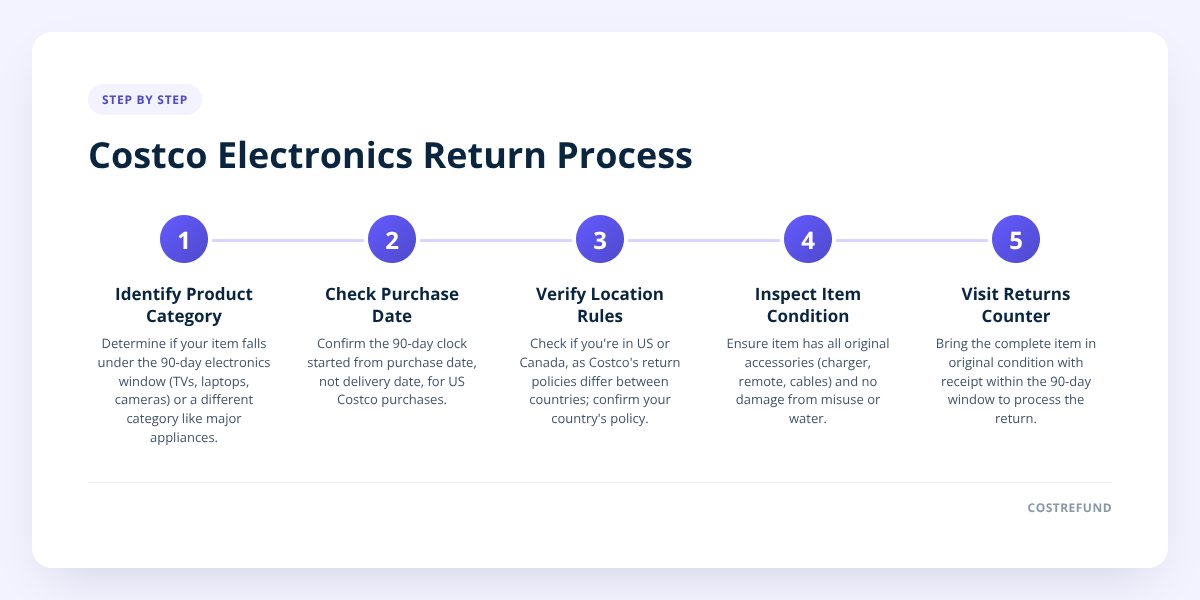
Four things reliably kill an otherwise-valid electronics return: missing original parts, physical damage from misuse, water damage, and returning outside the stated window. Costco's team inspects returned electronics, and the condition of the item plus the completeness of the box are what determine whether the return is honored.
Here's what typically gets flagged:
- Missing accessories. Chargers, remotes, cables, lens caps, and manuals that shipped in the box are expected back in the box. A TV returned without its remote, or a camera returned without its battery and charger, can be denied or only partially credited.
- Physical damage not caused by a defect. A cracked laptop screen from a drop is treated differently than a laptop that stopped turning on. Costco's return process generally distinguishes between product failure and accidental damage.
- Water damage. Most electronics have internal indicators that reveal water exposure. If staff find evidence of liquid damage, the return is likely to be declined since it falls outside normal wear or defect.
- Returning past the 90-day mark. Once the window closes, the item typically shifts to the manufacturer's warranty process instead of Costco's return counter — which usually means contacting the manufacturer directly, not Costco.
- Serial number mismatches. If the serial number on the returned unit doesn't match the one tied to your purchase record, expect extra scrutiny or a denial.
None of this means Costco is looking for reasons to say no — it means the inspection step exists to keep the return policy fair and functional for everyone. A device that's genuinely defective within the window is exactly what the policy is designed to protect.
How do you document a purchase so your return right is airtight?
Keep four things ready: your receipt or digital purchase record, the original packaging, all accessories that came in the box, and the item in the condition it was sold. Missing any one of these doesn't automatically kill your return, but it gives Costco's staff a reason to slow down or question it.
A simple way to think about it — treat the 90-day window like a countdown you're actively managing, not a date you'll remember later:
- Save the receipt immediately. Whether it's the paper copy or the digital one in your Costco account, this is your proof of purchase date — the single most important document for a timely return.
- Keep the original box for at least 90 days. Even if you don't plan to return the item, boxes make returns dramatically smoother and are often requested at the counter.
- Photograph the item's condition when you unbox it. This protects you if a dispute ever comes up about pre-existing damage versus something that happened after purchase.
- Don't toss accessories. Chargers, cables, and manuals should stay with the item or in a labeled bag near the box until you're confident you're keeping it.
- Check your membership account for warranty add-ons. Some electronics purchases come bundled with extended protection that outlasts the 90-day return window — different from the return policy itself, but worth knowing about separately.
This same discipline — knowing your purchase date and watching the clock — is exactly what matters for Costco's separate price adjustment policy, where members have 30 days to claim a refund if an item they bought drops in price. The return window and the price-adjustment window are two different clocks, but they both run out quietly if nobody's watching. CostRefund tracks that 30-day price adjustment window automatically: you upload your Costco receipt, the app monitors your eligible purchases for price drops, and it sends an alert while there's still time to ask for the difference back. Costco makes the final call on any adjustment or return — CostRefund just makes sure you don't miss the window to ask.
What should you do if your return gets questioned at the counter?
Ask for the specific reason in writing or by category, then decide whether to escalate to Costco customer service. Returns staff are following documented policy, not making arbitrary calls, so understanding which rule applied to your situation is the fastest way to resolve it — or to confirm the denial was correct.
If you believe your item still falls within policy, Costco customer service (reachable through customerservice.costco.com or customerservice.costco.ca) can clarify category-specific rules that aren't always obvious from the general policy page, especially for borderline items like smart appliances that blend "electronics" and "major appliance" characteristics.
Ready to stop guessing on price drops the same way you now know the return rules? Start tracking your Costco receipts with CostRefund and get alerted the moment an eligible purchase drops in price — while you've still got time to act on it.
Checklist: Protecting your Costco electronics return
- Save your receipt or digital purchase record the day you buy.
- Note the exact purchase date — the 90-day window starts there, not at delivery.
- Keep the original box and all accessories for at least 90 days.
- Photograph the item's condition right after unboxing.
- Confirm which category your item falls into if it's a smart appliance or hybrid device.
- Check customerservice.costco.ca instead of the US site if you're a Canadian member.
- Contact Costco customer service directly for anything that feels ambiguous.
- Upload your receipt to CostRefund to get alerted if the price drops within 30 days.
Related articles
Blog by Segeo — new article every day.
Keep reading
- Costco Furniture Return Policy: Timeline and ExceptionsNovember 6, 20268 min read
- Costco Price Adjustment Denied? How to Appeal ItNovember 2, 20269 min read
- How Costco Jewelry Return Policy Differs From OthersOctober 29, 20268 min read
- Costco Appliance Return Policy Explained Step by StepOctober 8, 20268 min read
- Costco Furniture Return Policy: Large Items and DeliveryOctober 4, 20268 min read
- Costco Jewelry Return Policy: What Members Should KnowOctober 2, 20268 min read
Start Saving on Costco Today
CostRefund automatically monitors price drops and helps you claim refunds. Create your free account and never leave money on the table again.
Start Saving