
How Costco Price Adjustments Work on Black Friday

Quick answer: Costco's standard 30-day price adjustment policy still applies during Black Friday and Cyber Monday, but the fast pace of price changes that weekend makes it easy to miss a window. If an item you bought in the last 30 days drops in price during the sale, bring your receipt (or look up your purchase at the membership counter) and ask for the difference back — no returns necessary. The catch is that Costco's Black Friday deals often run for just a few days each, so you need to check prices daily, not weekly, to catch every drop.
Key takeaways
- Costco's price adjustment window is 30 days from your purchase date, and that doesn't change or shrink during Black Friday or Cyber Monday.
- Doorbuster and one-day deals can come and go before a typical weekly price check would even catch them — daily tracking matters most this week.
- Costco does not price-adjust items marked as limited-quantity clearance or already-discounted "manager's special" tags in most cases; confirm at your local membership counter since store discretion can vary.
- Costco Canada and Costco US run separate Black Friday sales with different dates and sometimes different adjustment handling, a distinction we cover fully in Costco Canada vs. US: How Price Adjustments Differ.
Costco owes you money when prices drop
If something you bought gets cheaper within 30 days, you can claim the difference. CostRefund watches your receipts and tells you when you're owed.
Start freeStep 1: Confirm You're Still Inside the 30-Day Window
Start by checking the purchase date on your receipt, because that date — not Black Friday itself — is what starts your clock. Costco's price adjustment policy gives members 30 days from the date of purchase to request a refund of the difference if an item drops in price, according to Costco's published membership policies.
That means if you bought a TV on November 1, you're still covered through early December, well past Cyber Monday. But if you bought it back in October, you may have already missed the window by the time Black Friday deals hit.
A quick way to check:
- Pull up your receipt in the Costco app or your email confirmation for online orders.
- Note the exact purchase date, not the date you're checking prices.
- Count forward 30 calendar days to find your personal deadline.
- Set a reminder a few days before that deadline so you don't let it slide.
This is also where a tool like the CostRefund app helps, since it scans your receipt and tracks the 30-day countdown automatically instead of you doing math by hand during a busy shopping week.
Step 2: Watch Prices Daily, Not Weekly, From Thanksgiving Through Cyber Monday
Black Friday week compresses a month's worth of price changes into about five days, so checking once won't cut it. Costco typically rotates in new doorbuster prices day by day between Thanksgiving and Cyber Monday, meaning an item's price on Black Friday itself might already be gone by Saturday, replaced by a different discount or back to regular price.
Don't skip this: if you bought an item on Tuesday and it drops on Black Friday but climbs back up by Sunday, you still qualify for the adjustment — but only if you catch the drop and request it before the item's price changes again complicate your claim or before your own 30-day window closes. Waiting even a few days to "see if it drops more" can cost you the refund entirely.
Practical ways to stay on top of it:
- Check the Costco app or website once per day during the sale window, ideally in the morning when price changes often post.
- Screenshot any price drop with the date visible, in case the listing changes before you can act.
- Sign up for instant price-drop alerts so you're notified the moment an item you bought hits a lower price, instead of relying on memory.
- Check in-warehouse markdown tags too, since some Black Friday pricing only shows up on the physical shelf sticker, not online.
Step 3: Know Which Items Are Excluded Before You Ask
Not every Black Friday deal qualifies for a price adjustment, and knowing the exclusions ahead of time saves you a wasted trip to the membership desk. Costco generally does not offer price adjustments on:
| Item type | Typically eligible? | Why |
|---|---|---|
| Regular-priced item that drops during Black Friday sale | Yes | Standard 30-day policy applies |
| Item marked as limited-quantity doorbuster | Often no | Treated as a special one-time event price |
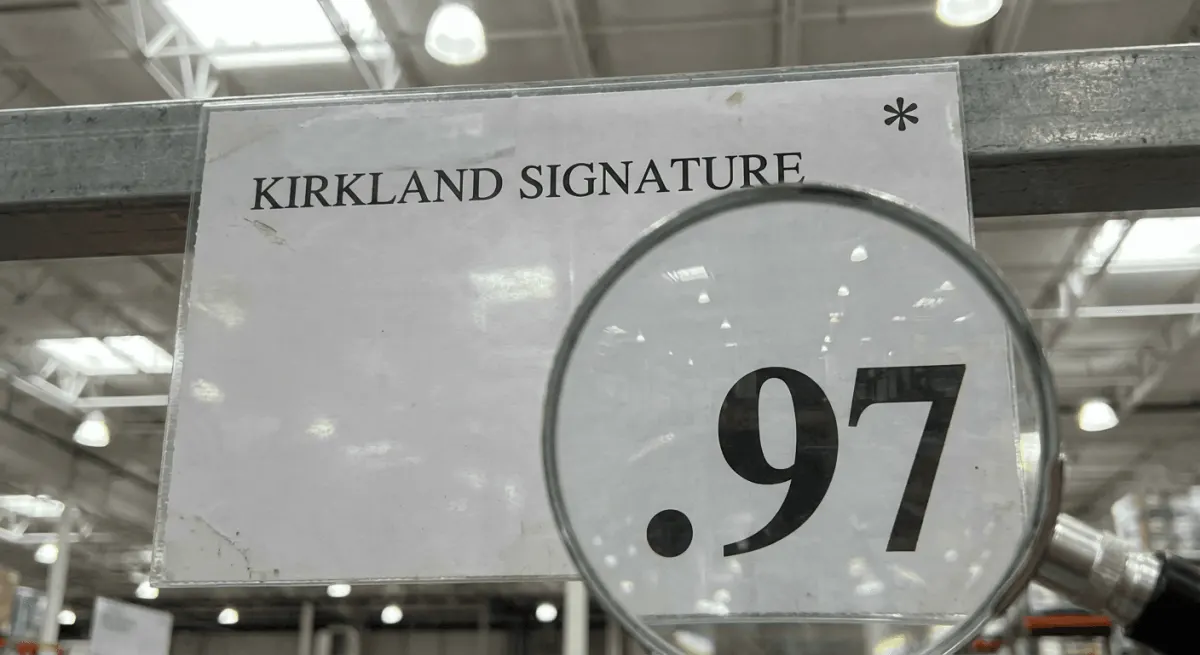
| Manager's special / clearance markdown (ends in .97) | No | Already discounted to move remaining stock |
| Warehouse-only in-store markdown vs. online price | Varies by location | Confirm with membership counter |
| Items bought via a Costco coupon book that later drop further | Yes, usually | Still within the 30-day rule |
This table is a general guide, not a guarantee — individual warehouse managers have some discretion, so always confirm with your local membership counter before assuming an item is excluded. If you bought big-ticket electronics or appliances during a Black Friday push, the rules get more specific; we go deeper on those categories in Costco Appliance Price Adjustments: The Complete Rules and Costco Price Adjustments on Electronics: Special Rules You Should Know.
Step 4: Gather Your Documentation Before You Ask for the Refund
Having your paperwork ready before you approach the counter speeds up the process and avoids a second trip. Here's your checklist:
- Locate your original receipt (paper copy, emailed digital receipt, or the purchase history in the Costco app).
- Confirm the item description and model number match exactly between your receipt and the new lower price you found.
- Screenshot or print the current lower price, including the date, especially if it's a short-lived doorbuster.
- Bring your membership card, since adjustments are tied to your account.
- Note whether you paid by credit card or Costco Cash Card, since that affects how the refund is issued.
For a full breakdown of what paperwork Costco accepts and how to handle lost receipts, see Documentation Needed for Costco Price Adjustments.
Step 5: Request the Adjustment the Right Way
You can request a Black Friday price adjustment either in person at the membership counter or, for online orders, through Costco.com customer service. In-warehouse, walk up to the membership counter (not the returns line) and explain you're requesting a price adjustment, not a return. For online purchases, Costco.com typically handles adjustments through its customer service chat or phone line rather than requiring you to visit a warehouse.
A few things that make the process smoother:
- Ask specifically for a "price adjustment," since using the word "return" can send you to the wrong queue.
- Have your receipt number ready to speed up lookup, especially during Black Friday when lines run long.
- If the item was a gift or purchased on someone else's membership, you may need that member present or their account information.
- Expect the refund as a credit back to your original payment method, not cash, in most cases.
If you shopped Costco Canada instead of a US warehouse, note that adjustment requests, refund timing, and even which items qualify can differ. That's worth reviewing in Costco Canada vs. US: How Price Adjustments Differ before you assume the US rules apply north of the border.
Step 6: Handle the Edge Cases That Trip People Up
Black Friday creates a few situations the standard policy doesn't spell out clearly, so here's how to think through the most common ones.
You bought the item with a coupon book discount, and it dropped further on Black Friday. You're still generally eligible for the difference between what you paid and the new lower price, since the 30-day rule is based on what you actually paid, not the regular price. Coupon book timing interacts with Black Friday pricing more than most shoppers realize — we mapped this out in How Costco Coupon Books Set Up Price Adjustment Refunds.
The price dropped, but the item is now sold out. Sold-out status doesn't cancel your eligibility as long as you have proof the lower price existed and your purchase falls within the 30-day window. Bring a screenshot with the date if the listing has already disappeared by the time you make the request.
You bought furniture or a big-ticket item and it went on a Black Friday flash sale. Large furniture purchases sometimes involve delivery timelines that complicate what counts as your "purchase date" — delivery date and order date aren't always the same thing. That distinction matters enough that we wrote a dedicated guide: How to Get a Costco Furniture Price Adjustment.
You're comparing Costco's policy to another warehouse club. If you're weighing whether to buy at Costco versus a competitor during the sale weekend, the adjustment policies aren't identical — see how they stack up in Sam's Club vs. Costco: Price Adjustment Refunds and BJ's Wholesale vs. Costco: Price Adjustment Policies.
What to Do Next
Black Friday and Cyber Monday reward shoppers who track prices actively rather than checking back once and hoping. Make a habit of reviewing every purchase from Thanksgiving through the following weekend, since that's when the most price movement happens.
If manually checking prices every day sounds like a hassle during an already busy week, that's the exact gap CostRefund's receipt scanning and instant price-drop alerts are built to close — you scan your receipt once, and the app watches for drops so you don't have to remember to. Whether you shop Costco US or Costco Canada, staying a few days ahead of a price drop is often the difference between a refund and a missed window.
Related articles
Blog by Segeo — new article every day.
Keep reading
- What Counts as a Price Drop at CostcoAugust 22, 20269 min read
- BJ's Wholesale vs. Costco: Price Adjustment PoliciesAugust 20, 20268 min read
- Does Executive Membership Change Costco Price Adjustments?September 3, 20268 min read
- Costco Opened-Item Returns vs. Price Adjustments ExplainedAugust 30, 20268 min read
- Costco Tire Price Adjustment: How the Refund Rules WorkAugust 25, 20268 min read
- Costco Appliance Price Adjustments: The Complete RulesAugust 17, 20268 min read
Start Saving on Costco Today
CostRefund automatically monitors price drops and helps you claim refunds. Create your free account and never leave money on the table again.
Start Saving





