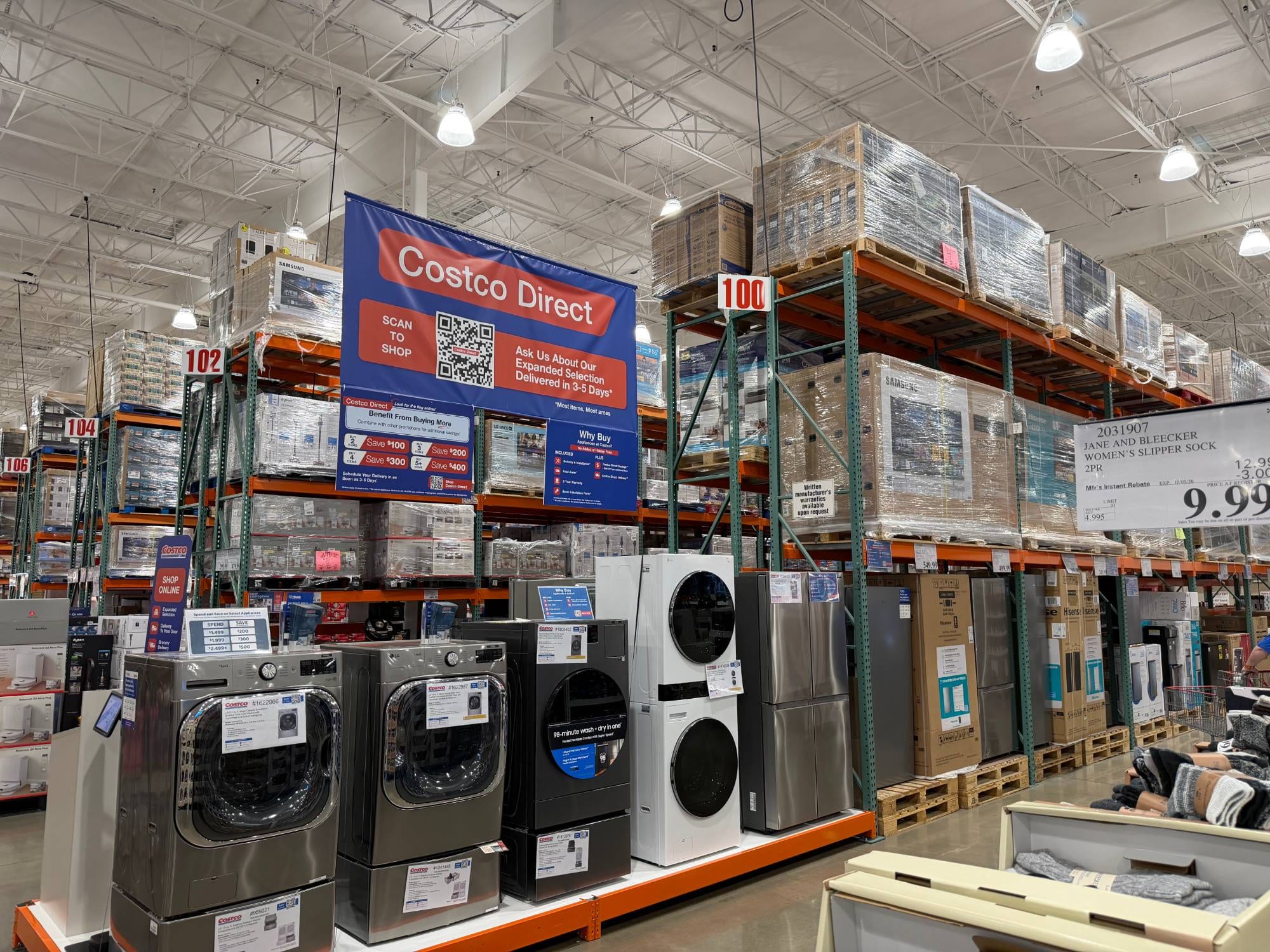
Costco Price Adjustment Denied? How to Appeal It

Quick answer: Costco denies price adjustment requests for a handful of predictable reasons — the item's outside the 30-day window, it's a final-sale product, the SKU doesn't match, or the price drop was on a different size or model. If you believe the denial was a mistake, bring your original receipt, a photo of the new price tag, and the matching item number to Member Services and ask for a second review. If that doesn't work, Costco's corporate member service line can look at persistent or clearly incorrect denials.
Key takeaways
- Costco's price adjustment window is 30 days from the purchase date for most items, per customerservice.costco.com — denials often come down to a missed date, not a policy exception.
- A denial based on SKU mismatch is the most common reason an appeal succeeds, because warehouse staff sometimes scan the wrong item number the first time around.
- Final-sale items, including certain clearance and "As-Is" tagged products, are not eligible for price adjustments regardless of how recently they were purchased.
- Keeping your original receipt and a dated photo of the lower price tag is the single biggest factor in getting a second look approved.
Costco owes you money when prices drop
If something you bought gets cheaper within 30 days, you can claim the difference. CostRefund watches your receipts and tells you when you're owed.
Start freeWhy Did Costco Deny My Price Adjustment?
Most denials trace back to one of five issues, and knowing which one applies to you is the first step to fixing it. Costco's price adjustment policy, published at customerservice.costco.com, gives members 30 days from the purchase date to request a refund of the difference if an item drops in price. When a request gets denied, it's almost always because the purchase falls outside that policy in some specific way.
Here's what typically goes wrong:
- Outside the 30-day window. Costco calculates this from the purchase date on your receipt, not the date you noticed the price drop. If you're even a day late, the system flags it.
- Item no longer carried or out of stock. If Costco has discontinued the item or the warehouse no longer stocks it, staff may not be able to verify the new price against your purchase.
- Price difference is too small or nonexistent. Sometimes what looks like a price drop is actually a different size, bundle, or promotional pack that isn't the same SKU.
- Item marked final sale or clearance. Products tagged "As-Is," manager's special, or clearance are typically excluded from price adjustments.
- Barcode or SKU mismatch. The item on the shelf today might share a name with what you bought but carry a different item number — a common issue with seasonal products or items that get repackaged.
Don't skip this: Before you appeal anything, confirm the item number (the 5-to-7-digit code near the price) on your receipt matches the item number on the current price tag exactly. A mismatched SKU is the single most common reason for a denial, and it's also the easiest one to fix with photo proof.
What Documentation Actually Strengthens an Appeal?
The strongest appeals combine your original receipt with visual proof that the lower price belongs to the exact same item. Costco employees process a lot of these requests, so vague claims like "I saw it cheaper" rarely move anything forward. Specific, matched documentation does.
Before you go back to the warehouse or call customer service, gather:
- Your original receipt — paper or digital, showing the purchase date and price paid.
- A photo of the current price tag, including the item number, taken on your phone with the date visible in your camera roll metadata.
- Proof it's the same SKU — the item number on your receipt should match the number on the shelf tag, not just the product name or description.
- Warehouse visit notes — if you spoke to someone in person, jot down the date, roughly what time, and who you spoke with if you got a name.
- Your membership card number, since adjustments are tied to your account.
If the price drop happened online rather than in-warehouse, the process looks a little different — we cover the online-specific steps in the online price adjustment form guide, including what screenshots Costco typically accepts in place of an in-store photo.
How Do I File a Formal Appeal After a Denial?
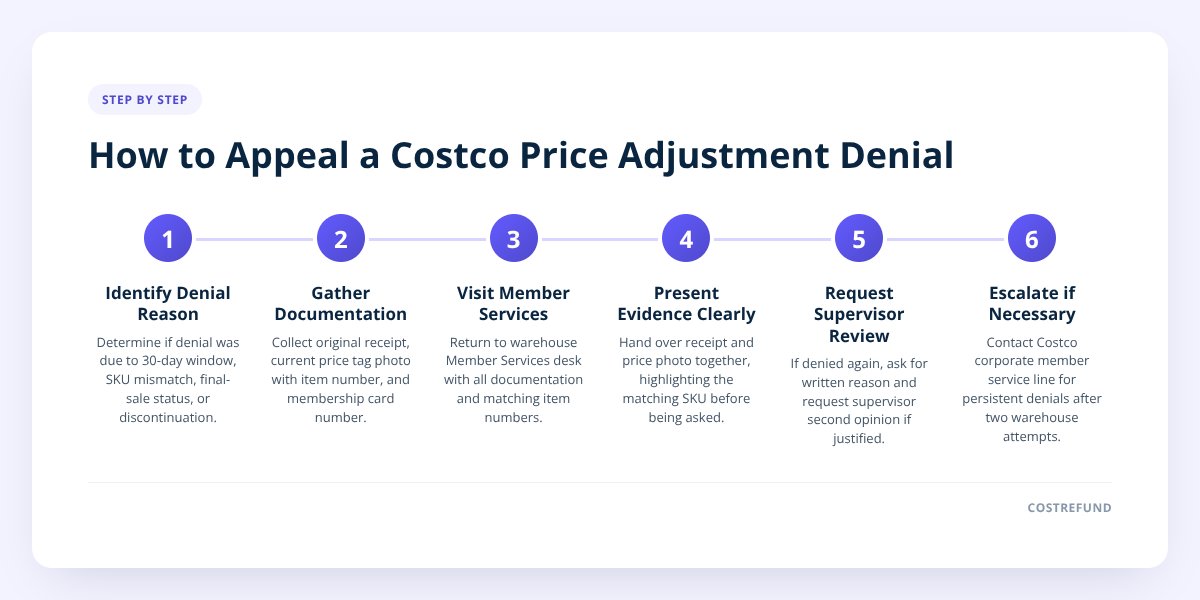
File your appeal at the Member Services desk in any Costco warehouse, or by calling Costco's member service line, and ask specifically for a supervisor to review the original decision. A first-time denial from a front-line employee isn't necessarily final — it often just means that person didn't have the documentation or authority to approve it on the spot.
Here's the general sequence:
- Go back to Member Services, not the register. Price adjustments are typically handled at the service desk, where staff have access to the price-history system.
- Present your documentation together. Hand over the receipt and the price tag photo at the same time, and point out the matching item number before they even ask.
- Ask for the reason in writing or verbally restated. If they deny it again, ask exactly why — "outside window," "different SKU," or "final sale" are different problems with different fixes.
- Request a supervisor if the reason seems wrong. If your photo clearly shows the same item number and you're within 30 days, politely ask for a second opinion before leaving.
- Keep a record of the interaction. Note the date, the warehouse, and what you were told, in case you need to escalate further.
If you're in Canada, the core 30-day policy works the same way, but Costco Canada's Member Services may handle certain adjustment categories — like appliances or electronics — slightly differently in practice, so always confirm locally at your warehouse rather than assuming the US process applies exactly.
When Should I Escalate to Corporate or Membership Services?
Escalate beyond the warehouse level when you've been denied twice for the same documented item, or when the denial reason is clearly inconsistent with Costco's own published policy. A single denial from one employee is normal and often resolvable in person. A second denial — especially one that contradicts what the first person told you — is worth a phone call to Costco's national member service line rather than a third trip to the same warehouse.
Good reasons to escalate:
| Situation | Escalate? | Why |
|---|---|---|
| Denied once, documentation wasn't fully presented | No, go back with full documentation first | Often resolved at the desk |
| Denied twice with matching SKU and valid date | Yes | Likely an employee error, not a policy issue |
| Told the item is "final sale" but it wasn't marked that way at purchase | Yes | Worth clarifying with a supervisor or corporate |
| Price dropped by less than a dollar | No | May not be worth the adjustment process either way |
| Item was a bundle Costco considers different from what you bought | No, review bundle rules first | This has specific rules — see below |
If your situation involves a bundled item where only one component dropped in price, that's a separate wrinkle Costco handles differently — we go through it in our guide to bundle price adjustments.
How Can I Avoid Denials in the First Place?
The easiest way to avoid a denial is to catch the price drop and file the request before you're relying on memory or guesswork weeks later. Most denials happen because someone requests an adjustment late, misremembers the exact item they bought, or can't produce the original receipt. All three of those are preventable with better tracking.
This is where manually checking prices every few days starts to break down — nobody has time to recheck forty receipts against shelf prices for a month straight. An app like CostRefund solves the specific part of this that's hardest to do by hand: it reads your uploaded Costco receipt, watches the eligible items for the length of the 30-day window, and sends an alert the moment a tracked item's price drops — with the days remaining in your window shown right in the app. CostRefund identifies that a price drop happened; Costco still makes the final call on whether your specific adjustment is approved.
A few habits that reduce denials regardless of whether you use an app:
- Scan or photograph your receipt the day you shop, while the purchase and item numbers are fresh.
- Note the exact item number, not just the product name, since that's what Costco matches against.
- Check prices periodically rather than once, since drops can happen any day within the window.
- Request the adjustment as soon as you notice the drop, rather than waiting to "see if it goes lower."
If you want to set this up properly rather than relying on sporadic manual checks, our receipt scanning setup guide walks through getting your purchase history tracked from day one.
What to Do Next
A denied price adjustment isn't automatically the final word — it's usually a documentation problem or a miscommunication that a second visit with the right paperwork can fix. Start by confirming which of the five common reasons applies to your situation, gather the matching receipt and photo, and go back to Member Services with a clear, specific ask. If two honest attempts still get denied for a reason that doesn't match Costco's published policy, that's when a call to corporate member services is worth your time.
Ready to stop losing track of adjustment windows altogether? Start tracking your receipts with CostRefund and get an alert the moment something you bought drops in price.
Checklist: Appealing a Denied Costco Price Adjustment
- Confirm the purchase date on your receipt falls within Costco's 30-day window.
- Check that the item number on your receipt matches the item number on the current price tag.
- Take a dated photo of the lower price tag, including the full item number.
- Verify the item isn't marked final sale, "As-Is," or clearance.
- Bring your receipt, membership card, and price tag photo to Member Services together.
- Ask the staff member to state the exact denial reason before you leave the desk.
- Request a supervisor review if the stated reason conflicts with your documentation.
- Write down the date, warehouse, and outcome of each visit in case you need to escalate.
- Call Costco's member service line if a second denial still contradicts the published policy.
Related articles
Blog by Segeo — new article every day.
Keep reading
- Costco Price Adjustment Without a Receipt: How To Get OneNovember 1, 20268 min read
- Costco Price Adjustment Etiquette: What's Fair to AskSeptember 6, 20267 min read
- Costco Curbside Pickup Price Adjustment Rules ExplainedSeptember 1, 20267 min read
- Why Costco Price Adjustments Get Denied (And How to Appeal)July 22, 20267 min read
- Costco Business Center Price Adjustment: How It DiffersOctober 21, 20269 min read
- Costco Price Adjustment: What Counts as the Same Item?October 17, 20269 min read
Start Saving on Costco Today
CostRefund automatically monitors price drops and helps you claim refunds. Create your free account and never leave money on the table again.
Start Saving